
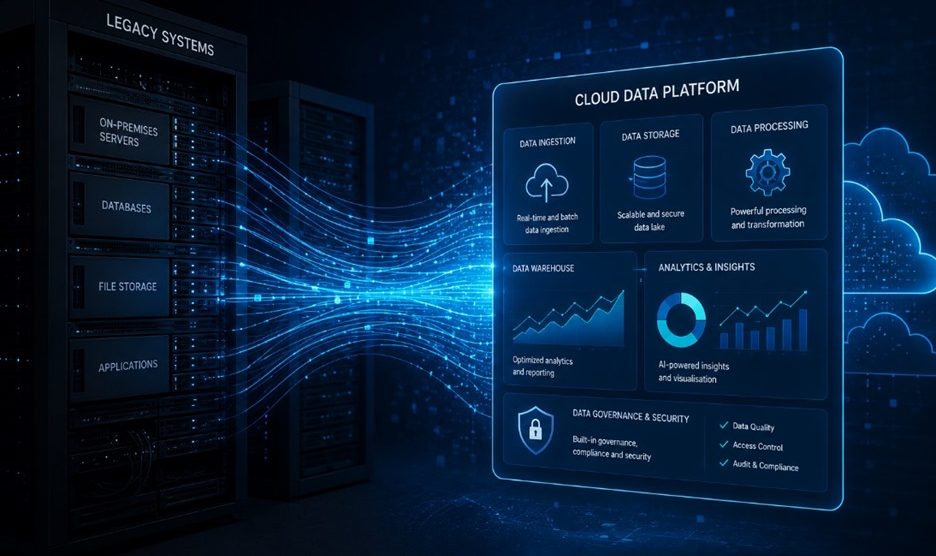

Few technology projects carry more risk and less glamour than data migration. When an organisation moves data from a legacy system to a new platform, or consolidates multiple systems into a unified data environment, the stakes are high. Data loss, incorrect mappings, downtime, and the discovery that source data quality was far worse than anyone assumed — these are the failure modes that haunt migration projects and damage trust in the entire data programme.
Yet data migration is also one of the most enabling projects an organisation can undertake. Done well, it removes the constraints of outdated systems, unlocks better analytics, and positions the organisation to make better use of its data assets. The question is not whether to migrate — in most cases, the architecture decision has already been made. The question is how to migrate without losing data integrity or operational continuity.
Why Data Migration Projects Fail
Before looking at what good data migration solutions looks like, it is worth being honest about why projects in this space so frequently fall short of expectations.
The most common root cause is underestimating data quality problems in the source system. Every organisation has data debt — records that are incomplete, fields that are inconsistently populated, legacy codes that were never cleaned up because the old system tolerated them. When that data moves to a new system that enforces stricter validation, the problems surface quickly and expensively.
The second cause is poor scope definition. Migration projects that begin with a vague mandate — ‘move our data to the cloud’ — without a clear inventory of what is being moved, what transformations are required, and what the acceptance criteria are, almost always run over time and budget.
The third is treating migration as a technical exercise rather than a business change. Every data migration touches business processes. The people who own those processes need to be involved from the start, both to validate data mappings and to ensure that the new environment meets their operational needs.
Azure Data Factory: The Engine for Modern Data Migration
For Australian organisations migrating to Azure-based environments, Azure Data Factory service is the most widely used tool for orchestrating the data movement process. ADF provides a visual, code-optional interface for building data pipelines that extract data from source systems, apply transformations, and load it into target destinations.
ADF supports over 90 built-in connectors, covering databases, cloud storage, SaaS applications, and on-premises systems. For organisations migrating from SQL Server, Oracle, SAP, or any of the common enterprise systems, the connectivity story is solid. For more complex or niche sources, custom connectors or REST API-based extraction may be needed.
One of ADF’s key advantages for migration projects is its support for incremental load patterns. Rather than performing a full extract on every run — which becomes expensive and time-consuming at scale — ADF can be configured to identify and process only records that have changed since the last extraction. This is critical for keeping source and target systems in sync during the transition period.
Azure SQL and the Target Architecture Decision
Before any data moves, the target architecture needs to be defined. For organisations migrating relational workloads, Azure SQL is the most natural destination for organisations coming from SQL Server environments. It offers near-complete compatibility with on-premises SQL Server, managed infrastructure with automatic patching and backup, and flexible scaling options that adjust to workload demands.
The decision between Azure SQL Database (a single-database PaaS service) and Azure SQL Managed Instance (a more comprehensive migration target for databases that use SQL Server-specific features) depends on how heavily your source databases rely on SQL Server capabilities that are not available in the standard Azure SQL offering. Features like SQL Server Agent, cross-database queries, and certain CLR integrations require Managed Instance.
For organisations building a new analytical environment rather than simply lifting and shifting an existing database, Azure SQL may be the operational layer, with a dedicated analytical store built on top.
When Synapse Analytics Is the Right Choice
For organisations migrating large-scale analytical workloads — data warehouses, large reporting databases, or environments handling hundreds of gigabytes to petabytes of data — Azure Synapse Analytics provides a more suitable target than Azure SQL.
Synapse Analytics combines a dedicated SQL pool (the traditional MPP data warehouse) with serverless SQL for ad hoc querying against data lake storage, and Apache Spark for big data processing. This makes it particularly suited to organisations that need to serve both structured reporting workloads and large-scale data exploration from the same environment.
The migration path to Synapse typically involves extracting data from source systems via ADF, landing it in Azure Data Lake Storage Gen2, and then transforming and loading it into the dedicated SQL pool or making it queryable via the serverless endpoint. This lakehouse architecture provides flexibility that a traditional warehouse-to-warehouse migration does not.
Data Migration Services: What a Structured Engagement Looks Like
Engaging professional data migration services for a significant migration project typically involves several distinct phases, each with defined deliverables and exit criteria.
The first phase is discovery and assessment. This involves cataloguing source systems and data assets, profiling data quality, documenting business rules embedded in the legacy system, and defining the target state architecture. This phase often surfaces the data quality problems that will shape the migration approach.
The second phase is design and planning. This covers the mapping of source fields to target fields, the transformation logic required for each entity, the pipeline architecture in ADF, and the test strategy. A migration that is not tested against real data before go-live is a migration that will surprise you.
The third phase is build and test. Pipelines are built, initial loads are run against a development environment, data validation checks are executed, and business stakeholders review results against known totals from the source system.
The fourth phase is the cutover. This is the highest-risk phase — when the final synchronisation runs, source systems are frozen, and the new environment goes live. A well-designed cutover plan includes a rollback procedure, defined communication protocols, and post-go-live validation steps.
Data Quality: The Work That Cannot Be Skipped
No migration tool — however capable — can substitute for data quality remediation. If the source data is poor, the target data will be poor unless explicit transformation and cleansing logic is built into the pipeline.
Common data quality issues encountered in Australian enterprise migrations include:
- Duplicate records across customer, supplier, and product master data
- Inconsistent date formats and null handling across legacy tables
- Business rules hardcoded into application logic rather than data structures
- Orphaned records with broken foreign key relationships
- Free-text fields used to store structured data that needs to be parsed
Addressing these issues requires collaboration between technical teams building the pipelines and business stakeholders who understand what the data should represent. The earlier this work begins, the less disruptive it is.
The Analytics Opportunity on the Other Side
One of the most valuable aspects of a well-executed data migration is what it enables on the other side. Organisations that have successfully migrated to an Azure-based data platform are positioned to unlock data analytics and visualisation capabilities that were simply not possible in the legacy environment.
Power BI connected to a well-structured Azure SQL or Synapse database delivers far more reliable and performant reports than Power BI connected to the same data in a legacy system. Microsoft Fabric builds on the migrated data estate to add real-time analytics, data science, and advanced governance. The migration is the foundation; the analytics capability is built on top.
Conclusion
Data migration is never trivial, but it is also not mysterious. The organisations that execute migrations successfully tend to be those that take the time to understand their source data thoroughly before moving anything, define clear success criteria from the start, involve business stakeholders throughout, and invest in data quality remediation alongside the technical migration work.
The Azure toolset — Data Factory, Azure SQL, Synapse Analytics — provides a capable, integrated platform for executing these migrations at scale. But the technology is only part of the equation. Approach, planning, and execution discipline are what determine whether the migration delivers the intended outcome.